

How to upgrade the software of a slab polishing machine?
Nov 04, 2025
Leave a message
Hey there! As a supplier of Slab Polishing Machines, I've had my fair share of experiences with these nifty pieces of equipment. One question that often pops up from our customers is how to upgrade the software of a slab polishing machine. Well, you're in luck because I'm gonna break it down for you in this blog.
First off, let's talk about why you might want to upgrade the software in the first place. Software upgrades can bring a whole bunch of benefits to your slab polishing machine. For starters, they can improve the machine's performance. New software versions often come with optimizations that make the polishing process faster and more efficient. You'll be able to polish more slabs in less time, which means more productivity and potentially more money in your pocket.
Another great reason to upgrade is for enhanced functionality. The developers are constantly working on adding new features to the software. Maybe there's a new polishing pattern that you can use to give your slabs a unique look, or perhaps there are improved error - handling capabilities that will reduce downtime.
Now, let's get into the nitty - gritty of how to actually upgrade the software.
Step 1: Check Compatibility
Before you go ahead and start the upgrade process, you need to make sure that the new software is compatible with your slab polishing machine. Different models of Slab Polishing Machine have different hardware requirements, and using an incompatible software version can cause all sorts of problems.
You can usually find this information on the manufacturer's website. Look for a section that lists the software compatibility for your specific machine model. If you're still not sure, don't hesitate to reach out to our support team. We're always here to help you figure out if the upgrade is right for you.
Step 2: Backup Your Data
Data is king, and you don't want to lose any important settings or custom polishing programs that you've created. Before you start the upgrade, take the time to back up all the relevant data on your machine. This can usually be done through the machine's control panel.
Most modern slab polishing machines have a built - in backup function. Just follow the on - screen instructions to save your data to an external storage device, like a USB flash drive. Make sure to label the backup clearly so you know what it contains.
Step 3: Download the New Software
Once you've confirmed compatibility and backed up your data, it's time to download the new software. Head over to the manufacturer's official website. They should have a dedicated section for software downloads.
Look for the software version that's suitable for your machine. Sometimes, there might be different releases for different regions or specific machine configurations, so pay close attention to the details. Download the software file to your computer or directly to a USB drive if your machine supports that.
Step 4: Install the Software
Now comes the installation part. Insert the USB drive with the downloaded software into your slab polishing machine. Navigate to the software installation option in the machine's control panel.
The installation process is usually pretty straightforward. Just follow the on - screen prompts. The machine will guide you through the steps, like agreeing to the terms and conditions and choosing the installation location (although this is often pre - set).
During the installation, make sure the machine is connected to a stable power source. A power outage in the middle of the installation can cause serious issues and might even damage the software.

Step 5: Test the Machine
After the installation is complete, it's time to test the machine. Don't just jump right into full - scale production. Start with a small test run.
Load a sample slab onto the machine and run a simple polishing program. Check if the machine is functioning as expected. Look for any error messages or unusual noises. If everything seems okay, you can gradually increase the complexity of the polishing programs to make sure all the new features are working properly.
Step 6: Update Your Staff
If you have a team of operators working with the slab polishing machine, it's important to train them on the new features of the upgraded software. Even if the changes seem minor, they can still have an impact on the day - to - day operation of the machine.
You can organize a short training session where you demonstrate the new functions and answer any questions your staff might have. This will ensure that everyone is on the same page and can make the most of the upgraded software.
Other Considerations
- Regular Updates: Software developers are constantly releasing new updates to fix bugs, improve security, and add new features. Make it a habit to check for updates regularly. You can set up a schedule, like once a month, to see if there are any new software versions available.
- Third - Party Software: Sometimes, you might be tempted to use third - party software to upgrade your machine. This is a big no - no. Third - party software is not tested for compatibility with your slab polishing machine and can cause serious problems, including machine malfunctions and voiding your warranty.
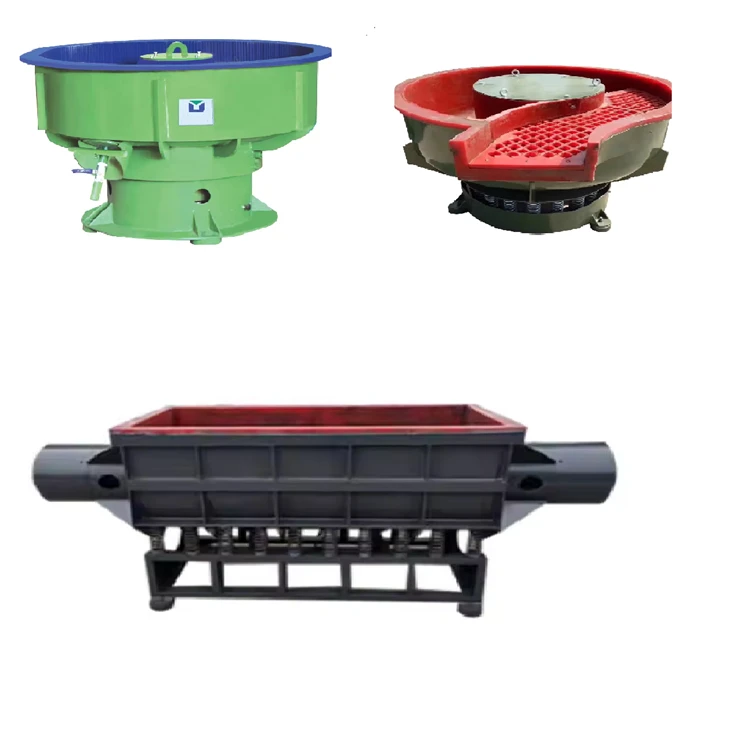
In addition to slab polishing machines, we also offer other great stone - related equipment, such as Stone Edge Polishing Machine and Tumbling Machine For Stone Polish. These machines can complement your slab polishing operations and help you achieve even better results.
If you're interested in upgrading your slab polishing machine software or exploring our other products, don't hesitate to get in touch. We're always ready to assist you with your stone - polishing needs. Whether you have questions about the upgrade process or want to discuss a potential purchase, our team is here to provide you with the best solutions.
References
- Manufacturer's user manuals for slab polishing machines
- Industry reports on stone - polishing machine software upgrades
So, that's it for today's blog. I hope this guide has been helpful to you. If you have any more questions, feel free to leave a comment below or reach out to us directly.
Send Inquiry